Motion Graphics vs Animation
We open by defining what teams usually mean when they say, “we need an animation.” The term often covers a range of visual work, and that causes scope confusion. We explain why choosing between these approaches is a real project decision, not just wording.
At its core, one type emphasizes design-driven movement and the other leans into narrative. We outline the practical difference so people in marketing, product, L&D, and brand know what to expect. This helps teams match goals, media, and budget early.
We frame the piece as a comparison that helps us pick the right visual approach for a video, campaign, training asset, or UI moment. Expect clear examples like charts, title cards, logo stings, and character-driven stories to show what each option achieves for an audience.
Motion graphics and animation: the quick definition most teams miss
Teams often use the same word for two different kinds of moving visuals, and that slips budgets and schedules. We’ll cut through the jargon so decisions on scope, timeline, and tools are clearer.
What we mean by motion graphics in modern video design
We call motion graphics animated graphic design: text, shapes, logos, icons, and images put into deliberate movement to explain or label. The focus is visual communication, not a character-led story.

What we mean by animation as the umbrella term
We use animation to refer to any technique that creates the illusion of motion — traditional frame-by-frame, 2D, 3D, CGI, or stop-motion. That umbrella includes motion graphics but also longer, narrative work.
Why the terms get mixed up in marketing and media
Stakeholders say “animate these charts” or “make an animation,” and scope gets blurred. Our simple story test helps: if we’re moving type and icons to explain a point, it’s likely motion graphics. If we’re building a character journey, it’s animation.
- Examples teams recognize: rising bars in a graph, a spinning logo, animated page titles, microinteractions.
- Overlap exists: graphic elements can support narrative, and narratives often use typography and infographics.
Motion Graphics vs Animation: the core differences that affect your project
Deciding whether we explain or transport an audience changes the entire production plan.
For purpose and focus, we use motion graphics when clarity matters. These pieces aim to communicate features, steps, or data fast. By contrast, animation centers on story and emotion. It asks viewers to follow characters and events over time.
Typical elements differ too. Motion graphics lean on text, logos, icons, shapes, and infographics. Animation requires characters, environments, and continuity across scenes.
Style range and complexity also separate the approaches. The design side often favors minimalist layouts and brand-led palettes. Narrative work can span abstract art to photorealistic 3D and usually needs longer production time and larger teams.
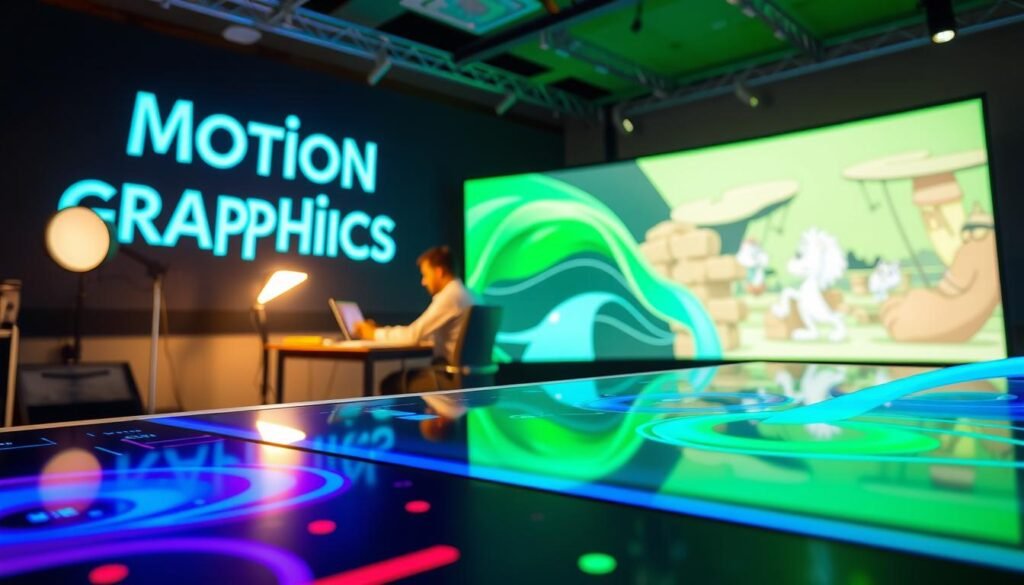
- Production differences: simple keyframed movement versus rigging, acting, and frame-by-frame choices.
- Cost drivers: more unique assets, shots, and specialized roles increase cost and time.
- Project role: one supports live-action and UI overlays; the other can be the whole visual life of a video.
Where motion graphics shine in real-world videos and brand content
In many real projects, design-led motion helps us explain complex services faster than live filming. We use concise sequences to make abstract ideas tangible and keep attention on the key point.

Explainers for services and products
We build short explainer video pieces when filming is impractical. Text, icon-led scenes, and simple shapes organize dense information into clear steps.
Data visualization and financial stories
Rising bars, callout labels, and icon comparisons turn statistics into easy-to-scan visuals. These patterns increase comprehension in marketing and learning content.
Brand polish and UI moments
Dynamic logos, animated page titles, and microinteractions make a product feel finished. Small interface cues—hover states or error feedback—improve usability and tone.
Common formats and repurposing
Lower thirds, title cards, transitions, GIFs, and social assets work across channels. We reuse templates to create cutdowns, ads, and headers without rebuilding the core design.
| Use case | Why it works | Common elements | Repurpose paths |
|---|---|---|---|
| Explainer video | Conveys steps fast when live scenes are costly | Text overlays, icons, simple shapes | Social cutdown, landing header, ad |
| Data stories | Makes numbers readable and memorable | Bar graphs, callouts, animated labels | Slide decks, reports, short clips |
| Brand moments | Gives a polished, consistent identity | Logo stings, typography motion, color system | Showreel, outro, intro |
| UI feedback | Improves clarity and reduces errors | Microinteractions, hover states, alerts | Prototype demos, training videos, GIFs |
When animation is the better choice for narrative-driven communication
When we need viewers to feel a change, narrative-led production is usually the right investment. Story-driven work builds emotional weight, not just comprehension. That difference matters for brand films, training, and longer-form campaigns.
Character-led stories that build emotional connection
We use character-led stories to create memory and trust. A relatable protagonist, clear stakes, and a transformation help people connect. That arc mirrors customer or employee experiences and makes messages stick.
Training and internal communications that benefit from scenario-based storytelling
Scenario-based storytelling works better than lists for behavior change. For safety, customer service, or leadership training, a short narrative shows choices and consequences. People retain scenes and decisions more easily than bullet points.
Entertainment-style techniques explained for business use
We pick styles to match goals: 2D for clarity and speed, 3D CGI for realism and impact, traditional hand-drawn for craft, and stop-motion for tactile premium appeal. Each form brings different life and performance needs.
- Blend points: characters plus on-screen text and icons reinforce key facts.
- Production note: expect more assets, nuanced acting, and review cycles than a typical design-driven piece.
- Decision cue: if the concept needs a journey, timing, or emotional payoff, choose narrative-first work.
How the production process differs from concept to final video
Production workflows set the tone for whether a concept becomes a polished video on schedule or spins into costly revisions. We outline two parallel paths so teams can pick the right plan and resources up front.
Motion graphics workflow
We start by locking the objective and finalizing the script. Storyboards map scenes and timing, then design assets (text, logos, icons, shapes) are built for consistency with brand design.
Animation uses keyframes, easing, and timing to create clear movement. Audio integration and review rounds follow before delivery of platform-ready files.
Animation workflow
Concept development expands into character and environment design. Storyboards become animatics to validate pacing and narrative before full production.
Production includes animation, coloring or texturing, sound design, editing, rendering, and final delivery. These steps take more time and specialist work than a typical design-led build.
Approval checkpoints that prevent rework
- Approve script and message priorities first.
- Approve storyboards or animatics to lock timing and flow.
- Approve styleframes/still frames before full movement to avoid expensive rework.
- Final sign-off after comp and audio rounds.
To keep production moving, stakeholders should supply a brand kit, high-resolution logos, source images, and prioritized content early.
Tools, techniques, and trends shaping motion graphics animation today
Tool choice, craft rules, and current tastes determine whether a concept reads clearly on screen. We focus on shared techniques that make visuals feel intentional and on the stacks teams actually use for delivery.
Shared fundamentals
We rely on keyframing as the common language. It ties type, icons, and character poses to predictable movement.
Timing and easing shape how viewers perceive weight and intent. Clean compositing keeps layers readable and the message clear.
Common software stacks
- After Effects — 2D animation, compositing, quick brand assets.
- Cinema 4D — lightweight 3D elements blended into design work.
- Maya — complex rigging and high-end character or product animation.
- Blender — cost-effective 3D for fast iteration and renders.
Current trends and selection guidance
We see more accessible 3D elements mixed into design-led pieces and experimental minimalism: simple shapes, bold contrast, and focused effects that avoid distraction.
Saul Bass reminds us that title work can carry story energy without characters. We pick tools to match desired dimensionality, realism, and iteration speed.
| Fundamental | Typical tool | Why it matters | Project fit |
|---|---|---|---|
| Keyframing | After Effects, Blender | Precise control of timing and motion | Explainers, UI cues, title cards |
| 3D elements | Cinema 4D, Maya | Depth and realistic camera moves | Product renders, cinematic scenes |
| Compositing | After Effects | Readable layers and color consistency | Brand assets, social cutdowns |
| Easing & timing | All major apps | Creates natural movement and clarity | Any style that needs polish |
Choosing what to use for your next project without overthinking it
We make quick, practical calls so teams pick the right visual form without wasting time or budget.
Run this checklist: are we explaining information fast (use motion graphics) or building an emotional connection (use animation)? Confirm whether existing footage needs overlays or if the graphics must carry the whole video.
Default to design-led graphics for most marketing and training: clear, faster, and cheaper. If you need empathy or a narrative arc, choose narrative work and budget for extra production time.
Keep costs steady: lock script early, approve storyboards and styleframes, and avoid design changes once movement begins. Define the message, audience context, and success metric first, then pick the simplest production approach that achieves it.