Motion Graphics Production
We introduce a clear guide to how we plan and deliver short-form motion graphics for US marketing teams. Our goal is to show the full process from blueprinting to final files so teams can avoid last-minute changes.
In pre-production we draft the script, build moodboards, and lock storyboards and style frames. These artifacts act as a blueprint that reduces rework later in the timeline.
Next, we set expectations for deliverables and approvals. We define what “done” looks like, which file types we hand off, and how sign-offs prevent schedule slips.
Finally, this guide outlines major phases—brief, storyboard, animatic, boards, animation, polish, and delivery. We preview common bottlenecks like unclear scope or missing assets and explain how our workflow prevents them.
What “motion graphics production” means in today’s motion design workflow</h2>
This section explains how thoughtful planning turns creative ideas into predictable, deliverable work. We focus on the practical meeting point between visual choices and timing so teams can estimate effort and avoid surprises.
Motion graphics vs. animation: where design and movement meet
We use the term motion graphics for design-led pieces that rely on typography, icons, UI, and compositing with purposeful movement. Animation covers character-led or frame-by-frame work. They overlap when design decisions drive timing and pacing.
Common project types and deliverables for US teams
- 15/30/60‑second spots, paid social cutdowns, SaaS explainers
- Product launches, event openers, UI walkthroughs, internal videos
- Specs that shape the workflow: aspect ratios, captions, safe areas, codecs
Why pre-production prevents rework
Pre-production aligns story, style, and pacing before detailed animation starts. An unclear brief causes a weak storyboard, which leads to late animatic changes and costly redesigns. We treat planning as the production process guardrail that saves time and budget.
| Deliverable | Common Length | Key Specs | Typical Risk |
|---|---|---|---|
| Paid social cutdown | 15–30s | 9:16 / captions / H.264 | Poor timing for attention |
| SaaS explainer | 60–90s | 16:9 / captions / brand lock | Misaligned messaging |
| UI walkthrough | 30–60s | 1:1 or 16:9 / safe area / codecs | Missing assets |
Set up your project plan so the production process stays on track</h2>
A single project plan keeps assets, decisions, and timelines visible to the whole team. We use one hub to remove scattered email threads, docs, and spreadsheets.
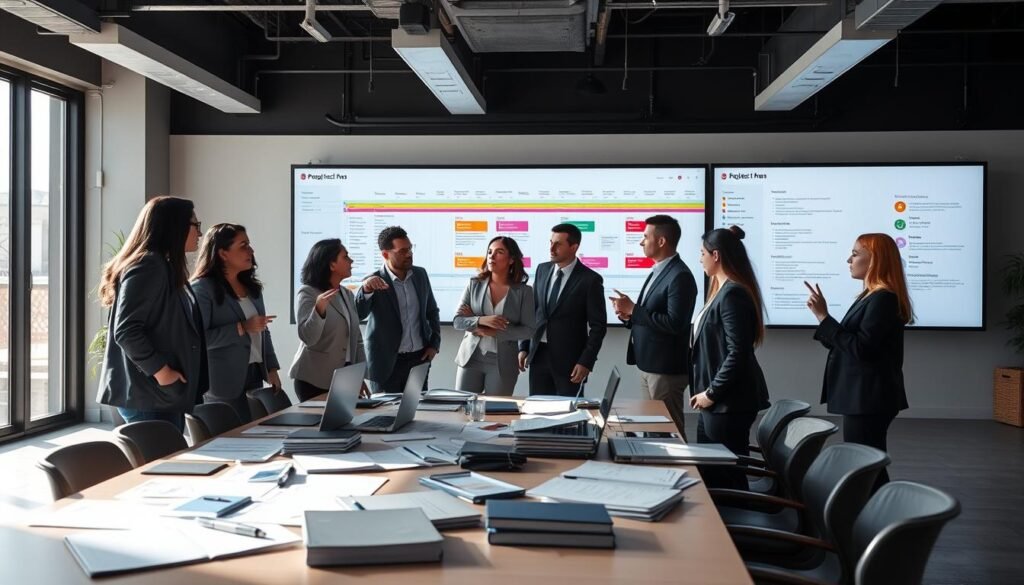
Build a single source of truth for script, ideas, storyboard, and style
We store script versions, idea dumps, moodboard references, storyboard frames, and style frame comps in the hub. The running decision log records approvals so every change is auditable.
Create a workflow checklist with owners, scenes, and review points
Our checklist names owners (producer, designer, animator, editor, creative director), assigns scenes, and sets review points. This prevents items from stalling in limbo and speeds reviews.
- Approve brief → storyboard → style frames → animatic → pre-final → final approval
- Label scene numbers and file folders so team members find assets fast — you’ll find the latest script, boards, and exports without guessing
- Use clear owners and deadlines to reduce back-and-forth and save time
Time and scope guardrails that protect quality
We set shot counts, revision rounds, versioning rules, and change-request thresholds to protect quality. These guardrails keep the work realistic and on schedule.
| Guardrail | Purpose | Typical Rule |
|---|---|---|
| Shot count | Controls scope | Max 12 primary scenes |
| Revision rounds | Limits time loss | 2 rounds per deliverable |
| Versioning | Keeps history | Use v01, v02, v03 naming |
Write a brief that aligns clients, brand, and creative direction</h2>
We start every project with a compact brief that ties brand goals to creative choices. The brief becomes the single source of clear information for clients, stakeholders, and our creative team.
Define goals, key message, and the target audience
We state one primary goal and the single key message. Then we translate that message into what the viewer should think, feel, and do after watching.
We document audience constraints like industry, seniority, and viewing context so concepts are grounded in reality.
Lock deliverables and technical constraints early
We list formats, lengths, caption files, thumbnail needs, and cutdowns up front. Locking these items early clarifies cost and timeline risk.
Capture brand style, tone, and visual references
We include do/don’t rules, typography choices, logo use, and motion rules. Clear visual references and a concise style guide keep the design and creative concept consistent.
- Assign owners, approval paths, and versioning rules so decisions are auditable.
- Keep the brief actionable: clear information, deadlines, and sign‑off gates to avoid rework.
Brainstorm motion design ideas that translate into scenes and action</h2>
We kick off ideation by naming one clear concept in a single sentence. From there we expand that concept into multiple creative options we can test against the brief.
We add many ideas quickly without judging them. This fast phase uses short prompts, sketches, and notes so the team can see varied directions at once.
We gather inspiration from videos, images, typography references, and sound cues. These references stop us from designing in a vacuum and speed alignment with stakeholders.
Group and turn themes into scenes
After idea collection, we group concepts into themes: visual metaphors, transitions, character/object behavior, and data approaches. Grouping reveals patterns and shapes the story.
- Map each theme to scene-level actions: what enters, transforms, exits, and the on-screen message.
- Pick 3–5 strong options and test them against the brief for clarity and pacing.
- Pro tip: iterate fast first, judge later—timebox ideation to increase viable directions.

| Theme | Scene Action | Result on Screen |
|---|---|---|
| Visual metaphor | Object enters, scales, transforms | Simple, memorable story beat |
| Data approach | Bars animate, numbers count up | Clear numeric action and emphasis |
| Transition-led | Swipe, morph, reveal | Smooth pacing and attention flow |
Build a moodboard to define style, color, and the overall look</h2>
We assemble visual references so the team can see the intended style and color at a glance. A focused moodboard turns abstract ideas into a readable vision. That makes reviews faster and feedback clearer.
Collect references for design, animation, typography, and scenes
We pick examples that show design choices, animation approaches, type treatments, and scene composition. Each reference gets a short note explaining what it teaches us.
We include color swatches and context notes so the palette shows where it lives on screen. This helps with contrast, accessibility, and brand alignment.
Organize for hierarchy so the team can read the vision quickly
We arrange anchors and supporting images so the board reads left-to-right or top-to-bottom. One or two anchor references carry the main look. Smaller elements show texture, transitions, and pacing.
- We’ll build a moodboard that defines the style direction so stakeholders approve the look before final frames.
- We’ll collect references across design systems, animation styles, typography, compositions, and scenes.
- We’ll include color cues with context: palette placement, contrast levels, and background/foreground pairing.
- We’ll organize the board with hierarchy—anchors plus supporting references—so the vision is scannable.
- We’ll note what each reference is for (type treatment, texture, transitions, lighting, pacing).
- We’ll treat the moodboard as a living guide and refine it while keeping it curated for production.
| Purpose | What to include | Benefit |
|---|---|---|
| Style lock | Anchor frames, color palette | Fast stakeholder sign-off |
| Animation idea | Timing samples, easing examples | Clear motion direction |
| Design detail | Type, texture, iconography | Consistent look across scenes |
Create a storyboard that maps the story, transitions, and key scenes</h2>
We map each beat of the script into clear frames so the story reads even before animation starts. This makes pacing and approvals far easier and reduces guesswork later in the process.

Break the script into frames and moments that matter
We break the script into scenes and sketch frames that capture the key beats. Each frame shows who is on screen, what happens, and the intended mood.
Add notes for motion, timing, and on-screen information
We add short notes for motion direction and time targets per frame. On-screen information like callouts, lower thirds, and disclaimers are flagged so editors don’t guess later.
Include audio cues like voiceover, music, and sound
We annotate voiceover beats, music hits, and sound accents. Syncing audio early helps us find where to speed up, slow down, or cut a scene.
Review with stakeholders before you move forward
We share the storyboard for feedback and lock approvals before detailed work begins. Changing frames now is cheaper than rebuilding animation later.
- We’ll storyboard by breaking the script into frames and moments that matter.
- We’ll define transitions (match cuts, wipes, morphs, typographic reveals) to plan motion intentionally.
- We’ll flag scenes needing special assets so the team can plan lead time.
| Item | What to include | Why it matters |
|---|---|---|
| Frames | Sketches, scene notes | Shows story flow |
| Timing | Seconds per scene | Keeps edits predictable |
| Audio | VO beats, music cues | Aligns rhythm and pacing |
Design style frames that sell the visual direction before production</h2>
Style frames let us lock a visual language early, keeping the team focused on design choices. They show how a final scene will look and feel before costly work begins.
We present multiple variations of the same scene so stakeholders compare options side-by-side. That keeps feedback about style, not story, and speeds decisions.
Document design choices: elements, color, typography, and texture
Each frame includes notes that call out key elements and color usage. We list typography rules, icon treatments, and texture or grain so the direction is reproducible across scenes.
Choose a final style that supports the brand and audience
We tie every option back to brand needs like legibility, trust cues, and category conventions. The designer marks which comps are exploratory and which are final so the design project does not drift.
- Approve art direction, not micro polish, to keep timelines firm.
- Use clear labels: exploratory, recommended, final.
| Item | What to show | Why it matters | Approval focus |
|---|---|---|---|
| Scene variations | 3 side-by-side comps | Speeds comparison of options | Overall style choice |
| Design notes | Elements, color palette, type | Reproducible visual rules | Brand alignment |
| Final comp | Near-polished frame | Prevents late revisions | Start animation |
Develop an animatic to test timing, pacing, and audio</h2>
We build a timed rough cut from boards to test how each beat reads on screen. This step turns static frames into a measurable sequence so we can judge rhythm and clarity before heavy work begins.
Lay out boards in a timeline and sync to voiceover or music
We place art boards on a timeline and sync them to scratch voiceover or temp music. That gives us a real sense of time per scene and where the audio supports the copy.
Use simple motion to validate scene flow
We add basic motion—position, scale, fades, and transit steps—to show intent without polishing every frame. Simple action proves whether transitions read clearly.
Find what to speed up, slow down, or cut
We evaluate beat-by-beat: where viewers need more time to read, where action feels rushed, and what can be removed. Once the animatic is approved, it becomes the timing contract for the rest of the process.
- We document a timecode map and scene durations so you’ll find the source of truth for pacing.
- We lock audio choices (scratch VO vs. final VO, temp music vs. licensed) early to avoid re-edits.
Create production boards and organize assets for efficient motion graphics work</h2>
We turn approved animatics into layered, animation-ready boards so teams can begin work without guesswork.
Build each scene as a near-final file. Include editable type, named layers, mattes, and sensible pre-comps so animators spend time on timing, not fixing art.
Build near-final layered artwork for animation-ready scenes
We create boards scene-by-scene using the animatic as the exact guide. Each file follows layer conventions for clarity and fast handoff.
Asset checklist: fonts, textures, images, footage, scripts, and VFX
Before heavy animation, we run an asset check: fonts, textures, images, video footage, scripts, reference photos, and VFX notes. This step prevents momentum loss later.
- Standardize folder structure for source, exports, audio, and references.
- Name files with v01, v02 and scene numbers for version control.
Audio prep: scratch vocal, final voiceover, and background music sourcing
We prep audio early: scratch vocal for timing, locked voiceover for final timing, and licensed music to avoid legal delays. Sync audio assets to the animatic before animation starts.
| Item | Purpose | Who owns it |
|---|---|---|
| Layered boards | Animation-ready art | Designer |
| Asset list | Complete fonts, textures, footage | Producer |
| Audio stems | Timing and final mix | Audio lead |
Motion Graphics Production: animate from rough motion to final animation</h2>
We translate animatic beats into layered movement that communicates message and pace. We start broad so timing and camera paths read before we invest in polish.
Rough animation: block key elements and scene interactions first
We block main elements, camera moves, and scene interactions to match the approved animatic. This phase proves timing and solves collisions early.
Refine motion design: polish easing, transitions, and secondary action
Next, we refine easing curves, transitions, and secondary action so movement supports clarity and brand tone. We check spacing, readable type, and stable composites as we iterate.
Post-production: compositing, color correction, and sound design
We finalize composites, run color correction, and balance voice, music, and SFX for a cohesive mix. These steps lift the animation into a final animation that plays clean across platforms.
Feedback loops: pre-final reviews and final stakeholder approval
- Pre-final review for structural notes and timing fixes.
- Final approval pass focused on brand compliance, export specs, and delivery files.
- Plan resourcing: freelance ranges often sit between $50–150/hr and timelines vary from ~1 week to many months for complex work.
| Phase | Focus | Typical signal |
|---|---|---|
| Rough | Blocking & timing | 1–2 days per spot |
| Refine | Easing & secondary action | 1–4 weeks |
| Finish | Comp, color, sound | Final animation export, cost varies |
Deliver your final videos and build momentum for the next project</h2>
We wrap each project with a clear handoff that turns finished work into momentum for what comes next.
For distribution, add finished videos to your portfolio, share via email and social, and tease with process screenshots to build attention. Designity cites Tubular Insights that pages with video are far more likely to rank on search pages.
We package deliverables to cut review time: a handoff folder, labeled exports, and a short delivery note with specs, durations, and version history. Our common set includes masters, platform cutdowns, captions, thumbnails, and alternate aspect ratios.
Before archive, run a final QA: audio levels, caption sync, safe margins, brand checks, spelling, and color. Archive source files, font/license links, project notes, and a short “what we’d improve next time” log to speed future projects.
Use the launch to build life for the work—repurpose clips, share behind-the-scenes info, and link delivery to SEO and demand generation. Below you’ll find a simple next-steps checklist so the next project starts with clear vision.