What is Motion Graphics
We open this guide by defining the simplest idea: animated graphic design that moves to explain, brand, or guide viewers. Strong examples flow so well that the animation feels natural, not intrusive.
We explain why this matters today. Screens and short clips dominate attention, so moving visuals help messages land fast. We focus on clear terms, common file types, and simple use cases.
Our aim is practical. We show where animated design appears—titles, lower thirds, explainer clips, and transitions. We also outline steps for beginners and marketers to get started.
Use this guide to jump to definitions, examples, workflow, software, templates, and trends. We keep each section concise so you can learn quickly and apply new skills right away.
– Clear definition and scope
– Why moving visuals matter now
– Who benefits and how to start
Motion graphics explained in plain English
We’ll describe how animated graphic work turns simple visuals into clear messages. Our goal is to show how animation supports meaning, not just decoration.
Motion graphics definition: animated graphic design that conveys information
We define the term as animated graphic design made to communicate information quickly. Artists use moving text, icons, and images to help viewers grasp a point in seconds.
What counts as “motion” and what doesn’t
True motion includes position changes, scale, rotation, opacity shifts, wipes, and kinetic timing. Those moves change how we read a frame.
Static layouts, posters, and still screens do not qualify. If an element never moves, it’s not part of this practice.
Core building blocks: text, shapes, images, typography, transitions, effects, time
- Text and typography — animated words guide attention and meaning.
- Shapes and images — they form context and visual hierarchy.
- Transitions and effects — small edits smooth flow without stealing focus.
- Time — pace, rhythm, and beats tie visuals to voice or music.
What is Motion Graphics and why we see it everywhere today
We map how animated elements now live across screens and shape quick brand signals.
Where it shows up on screens
Motion graphics appear in social media feeds, short ads, and website headers. They also show up in TV packages, film title sequences, and retail displays.
These placements help brands land a clear message fast for each viewer. Mobile viewing and quick scroll habits make moving visuals essential in modern media.
How they support a message without interrupting
Good motion acts like visual punctuation. It highlights facts, labels speakers, or nudges attention without stealing focus from the main video.
We decide when to be subtle—lower thirds and captions—or bold—openers and explainer segments—based on platform and audience intent.
- Appearances: feeds, micro-ads, TV, film, sites, retail screens.
- Why now: screen-first branding and short attention spans.
- Outcome: clearer comprehension, better recall, smoother storytelling.
| Platform | Typical Use | Viewer Benefit |
|---|---|---|
| Social media | Short clips, animated captions | Faster scanning, more shares |
| TV & Film | Titles, package graphics | Sets tone, aids pacing |
| Web & Ads | Banners, micro-ads, headers | Higher click clarity, concise message |
| Retail Displays | Looped product info | Improved recall at point of sale |
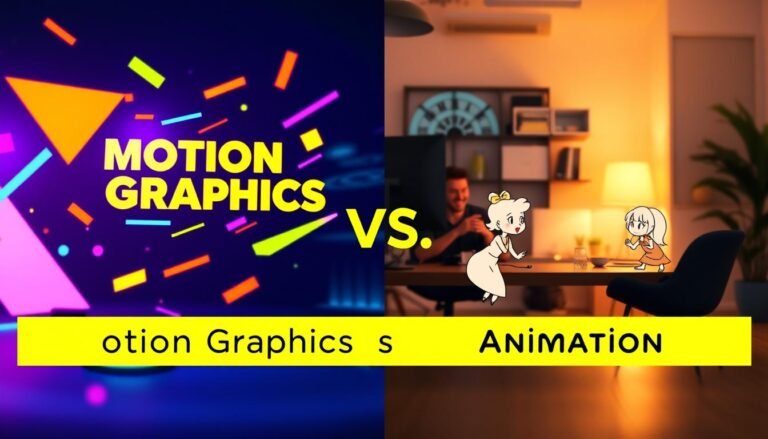
Motion graphics vs animation: how the terms differ
We draw a clear line between broad animation work and focused design animation so teams can budget and plan correctly.
Animation as the umbrella term
Animation covers any technique that makes images move: 2D, 3D, stop-motion, and frame-by-frame work. The term includes character rigs, physical models, and complex simulations.
Design animation focus: abstract elements and animated text
Design animation targets graphic assets—shapes, icons, charts, and moving text. Its aim is clarity: labels, numbers, and headlines that guide viewers quickly.
Why scope and cost often differ from character animation and CGI
Character and CGI projects demand rigs, acting, lighting, and long pipelines. That adds time and specialist labor.
Design animation usually needs fewer resources and faster delivery. We pick it for informational pieces and short brand clips.
| Aspect | Design animation | Character / CGI |
|---|---|---|
| Typical elements | Shapes, icons, text | Rigs, models, simulations |
| Timeline | Days to weeks | Weeks to months |
| Cost drivers | Design, timing, motion edits | Rigging, rendering, performance |
We advise clients to name the type they need up front so teams quote accurately and deliver the right work.
Common types of motion graphics we use in modern media
This section groups the frequent formats we use so teams can talk about assets clearly.
Title sequences, openers, and credits
Title work and openers set tone. A strong title tells a viewer what to expect in seconds and anchors brand identity.
Lower thirds, captions, and on-screen identifiers
These utility pieces add context—names, roles, and locations—without pulling focus from the main video.
Transitions, bumpers, and stingers
Short transitions and bumpers reset attention between segments. Punchy timing keeps pace for TV-style and online content.
Explainer videos and instructional videos
Explainer clips simplify concepts with visuals and narration. Instructional videos guide the user step by step for practical tasks.
Animated logos, GIFs, and short-form social content
Lightweight logo loops and GIFs boost brand recall. They work well as shareable content across feeds and ads.
Interactive infographics, UX animations, and animated presentations
Interactive infographics and micro-UX animations bring data to life for the user. Animated slides and product demos turn static content into engaging experiences.
- We categorize the common formats so you can name what you see.
- Titles and openers establish brand tone.
- Utility graphics add context without interruption.
- Bumpers and stingers refocus attention between segments.
- Explainer and instructional videos solve different communication needs.
- Logos, GIFs, and interactive infographics extend brand into product and web experiences.
Where motion graphics are used across industries
We see animated design in many fields because it delivers a clear message fast and keeps viewers engaged. Industries pick moving visuals to set tone, guide action, or sell a product without long copy.
Film and streaming: title design sets mood
Title sequences open a story and build a recognizable identity for a series or franchise. They set pacing, hint at themes, and lock a brand into viewer memory.
Television and broadcast: fast, clear on-air elements
Broadcast uses include lower thirds, sports packages, and replay graphics where speed and clarity matter. Production teams rely on repeatable templates for daily shows.
Marketing, social platforms, and web UX
Marketing teams create short micro-ads and promo videos for feeds and paid placements. Social media favors thumb-stopping motion that drives shares and recall.
On websites and apps, animated icons, loading cues, and micro-interactions guide the user without extra text.
- Film & streaming: identity and mood through titles.
- Broadcast: names, scores, and instant replays for clarity.
- Marketing: short ads and promo videos for mobile-first reach.
- Web & UX: icons and loading animations that help users navigate.
- Retail & public spaces: screens replace posters to highlight offers.
| Industry | Common Use | Primary Benefit | Typical Output |
|---|---|---|---|
| Film & Streaming | Title sequences, openers | Sets tone, strengthens brand identity | Short animated intro reels |
| Television & Broadcast | Lower thirds, sports packs, replays | Speedy clarity for live shows | Template-driven on-air graphics |
| Marketing & Social | Micro-ads, promo clips | Higher engagement, shareability | Vertical videos and animated banners |
| Web, Product & Retail | Icons, loaders, retail screens | Better user flow and point-of-sale recall | Micro-UX assets and looped displays |
Across media, our goal stays the same: craft moving visuals that carry a clear message and fit each platform’s production needs. We aim for concise, branded content that helps audiences act.
Why motion graphics work for brands and content marketing
We focus on how short animated pieces help brands win attention in crowded feeds. Mobile browsing and skippable ads give us only a few seconds to hook a viewer. Reported claims note the first three seconds matter most for a pause or a scroll.
Capturing attention fast
Motion, bold headlines, and tight pacing create a quick hook that earns another beat. Marketers report video views rose sharply in recent years, so timely motion often becomes the entry point for marketing content.
Simplifying complex information with storytelling
We turn dense processes, data, or product features into clear visual steps. Short sequences map inputs to outcomes so viewers grasp information faster than with dense text.
Engagement and performance signals
- Views and watch time signal interest to platforms.
- Shares and click-through rate rise when content uses clear visual cues.
- Tests reported higher organic traffic and qualified leads when brands use short video assets.
Memory and message retention
Sources report viewers may remember far more of a message in a video than from text alone. That retention makes animated clips a practical way to keep a brand message top of mind.

| Benefit | Primary signal | Marketing outcome |
|---|---|---|
| Fast attention | Initial pause (first 3s) | Higher immediate engagement |
| Clear info | Visual steps | Faster comprehension |
| Better retention | Message recall | Improved ROI and leads |
We recommend testing short animated assets as part of any content plan. Use them to hook viewers, simplify information, and measure the performance signals that matter to your brand.
Motion graphics examples that make the concept click
Below are clear examples that link craft choices to viewer response. We pick familiar work so readers can recognize techniques and reuse them in their own graphics video projects.
Title sequences that establish mood and brand identity
Patrick Clair’s True Detective Season 1 uses double exposure—layering two images or clips into one composite—to build a desolate, noir tone that matches the story. The effect blends texture and silhouette so a simple title becomes an emotional cue for the viewer.
The Star Wars opening crawl shows how kinetic text plus music sets expectations fast. A clean title move and strong audio can define brand identity in seconds.
Explainer videos that visualize relationships and data
Good explainer work turns numbers into motion so viewers can see links and hierarchies. Animated charts, connecting lines, and staged reveals map complex ideas into simple steps.
Transitions and bumpers that reset viewer attention
Transitions and bumpers act as short, high-contrast edits to signal a break between segments. They use quick effects and bold shapes to refocus attention and mark a new beat for the audience.
We translate these examples into ideas you can apply: pick one dominant effect, keep timing tight, and match audio to motion for clearer media results.
- Study title examples for mood and pacing.
- Use layered composites to add texture without clutter.
- Let animated data follow the narration to aid comprehension.
The motion graphics process from idea to final video
We outline the workflow that turns a sketch and script into a polished video for ads, websites, and social media. Clear goals up front speed production and cut review time.
Clarifying goals, audience, and platform
We start with a short brief that names the client goal, target audience, and platform specs. This ensures the same concept fits ads, web headers, and social media formats.
Scriptwriting and storyboarding
We write tight scripts and make thumbnails that act as a shot list. Storyboards map frames to voice-over so timing lands and each scene earns screen time.
Designing assets
Designers build images, icons, type layouts, and vector art in a graphic design workflow. We prep assets for animation to keep the work consistent and export-ready.
Animating, compositing, and syncing
We animate with keyframes, easing, masks, and layers. Then we composite and sync motion to voice and sound cues using the right tool for the job.
Review, feedback, and export
We run short review cycles with clients to keep revisions focused. Final exports include multiple aspect ratios, codecs, and versions for ads, web, and social media.

| Stage | Deliverable | Primary benefit |
|---|---|---|
| Storyboard | Frame thumbnails | Aligned timing |
| Assets | Vector images & layouts | Clean animation |
| Export | Multi-format videos | Platform-ready use |
Best motion graphics software and tools designers rely on
Our toolkit rundown shows which programs handle 2D layout, image prep, vector art, and 3D assets. We pick tools by brief, team skills, and final delivery needs.
Adobe After Effects — the primary motion graphics app
After Effects is the default software for most studios. Proficiency means knowing basics, hotkeys, keyframing, and a few essential plugins to speed compositing and animation.
Photoshop and Illustrator for asset prep
We use Photoshop to craft images, mockups, and textures that feed into timelines. It acts like a sketchpad for visual ideas.
Illustrator provides vector art that scales without pixelation. That makes logos and type safe for big zooms and clean design moves.
Cinema 4D and Maya for 3D
Cinema 4D offers an approachable path into 3D motion with easy lighting and camera tools. Maya serves studio pipelines when projects need complex VFX and render control.
- Choose 2D-first stacks for brand systems and social ads.
- Add Cinema 4D for product depth; pick Maya for heavy VFX-driven work.
| Software | Best for | Team fit |
|---|---|---|
| After Effects | Compositing, animation | Designers and animators |
| Photoshop / Illustrator | Images, mockups, vector logos | Design teams |
| Cinema 4D / Maya | 3D elements and VFX | 3D artists, studios |
Templates and asset libraries that speed up production
When time is short, trusted templates help teams ship consistent branded reels fast. We rely on cataloged assets to cut setup time and keep typography, timing, and transitions aligned across outputs.
After Effects templates for faster graphics video creation
After Effects templates let us reuse motion presets, type packs, and transitions to speed a graphics video build. They keep keyframes and easing consistent, which reduces review rounds and speeds production.
Free and paid libraries we recommend
- Motion Array — wide After Effects templates plus a free catalog for quick starts.
- PremiumBeat — lists hundreds of free motion graphics assets for title and transition packs.
- MotionElements — rotating weekly free templates and affordable bundles for fast edits.
Stock images, backgrounds, and 3D assets
Pixabay offers free HD video backgrounds and images that enrich scenes without a shoot. TurboSquid supplies 3D models, textures, and scenes for Cinema 4D and similar software when product renders speed a campaign.
| Resource | Best for | Practical use |
|---|---|---|
| Motion Array | Templates & type packs | Fast branded openers and lower thirds |
| PremiumBeat | Asset lists & effects | Music and motion asset matching |
| TurboSquid | 3D models & textures | Product visuals and staged scenes |
Best practices: check licenses, match style and color, and store approved assets in an internal library. Templates speed work, but we choose custom designs when brand identity or long-term campaigns demand unique craft.
Where motion graphics is heading and how we can start using it confidently
We pinpoint where animated design is headed and offer a compact plan to build real projects quickly.
Expect more screen touchpoints, template-driven workflows, and higher demand for polished motion in everyday content. Teams that adopt a repeatable process win time and consistency.
Start small: pick one platform and one format like lower thirds. Practice core design skills—typography, pacing, and storytelling—before chasing complex animation tricks.
Quick starter projects: a logo animation, a short explainer clip, and a clean title card system. These deliver fast examples you can refine.
Evaluate work by readability, timing, brand fit, and whether motion supports the message. Then define a lightweight process, choose core software, build an asset library, and iterate with real feedback.